The GNS 430 GPS
Originally published 1. May 2024
The first device I built was the GNS 430 GPS unit. Here's the finished thing:
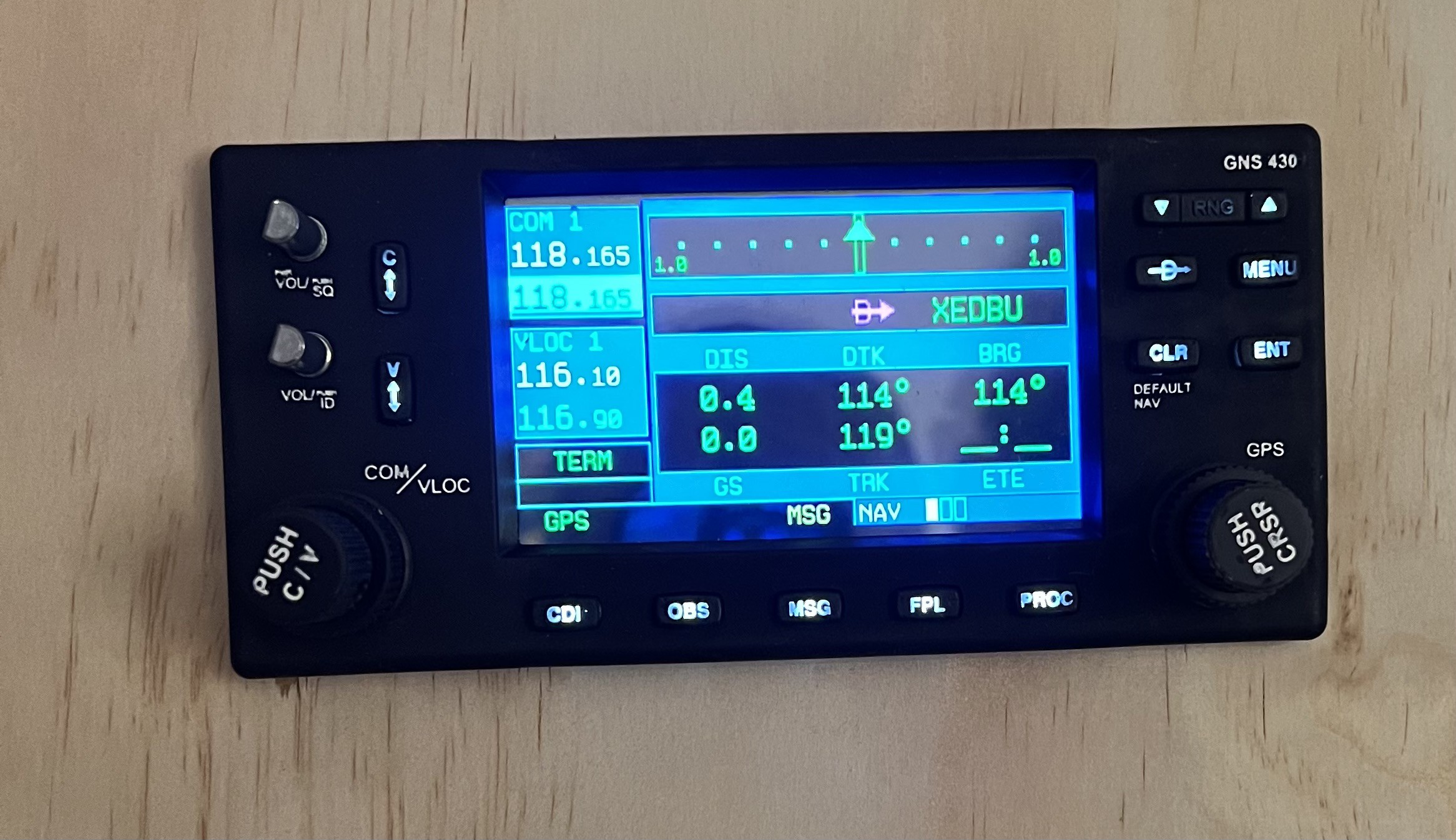
I wanted this to have with backlit buttons and real dual rotary encoders. After searching the web for a while it became clear, that I had to design this myself.
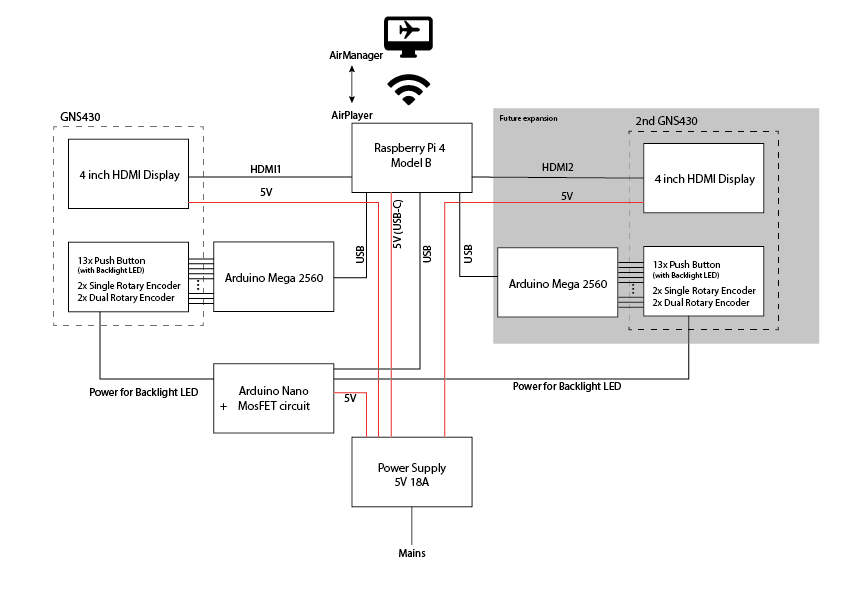
The screen content comes directly from the flight sim. But since I'm currently running the sim on a Macbook Pro, and thus do not have an option to connect too many external displays, I use AirManager for grabbing the GPS' display content directly from XPlane and sending it via a network connection to a Raspberry Pi 4. This works surprisingly well, even over wifi. Unfortunately the Raspberry doesn't have enough GPIO pins to also drive all the buttons and encoders. I originally planned to build two GNS 430 units anyway (as there are two of them in the simulator) and it's no problem for the Raspberry Pi 4 with its 2 HDMI connectors (and the AirManager/AirPlayer combo) to provide the display content for both of them. So I decided to use a separate Arduino Mega 2560 for interfacing with all the hardware buttons and encoders. To my pleasant surprise, it's even possible to connect the Arduino(s) directly to the Rasperry Pi and setup AirManager/AirPlayer in such a way, that all information is transported via the netrwork connection. This greatly reduces the need for cables between the dashboard and the computer. In fact, there is actually 0 (zero) cables between the main computer and the dashboard, since everything is working great so far with just a WiFi connection between the Mac and the Raspberry Pi. The only cable going to the dashboard is a power cable!
Here's the current wiring schematic of the GNS 430:
I did draw the whole design in Fusion. I was able to use some parts (like the rotary encoders) from GrabCAD, but most parts (including the backlit push buttons and the LCD) I drew myself.
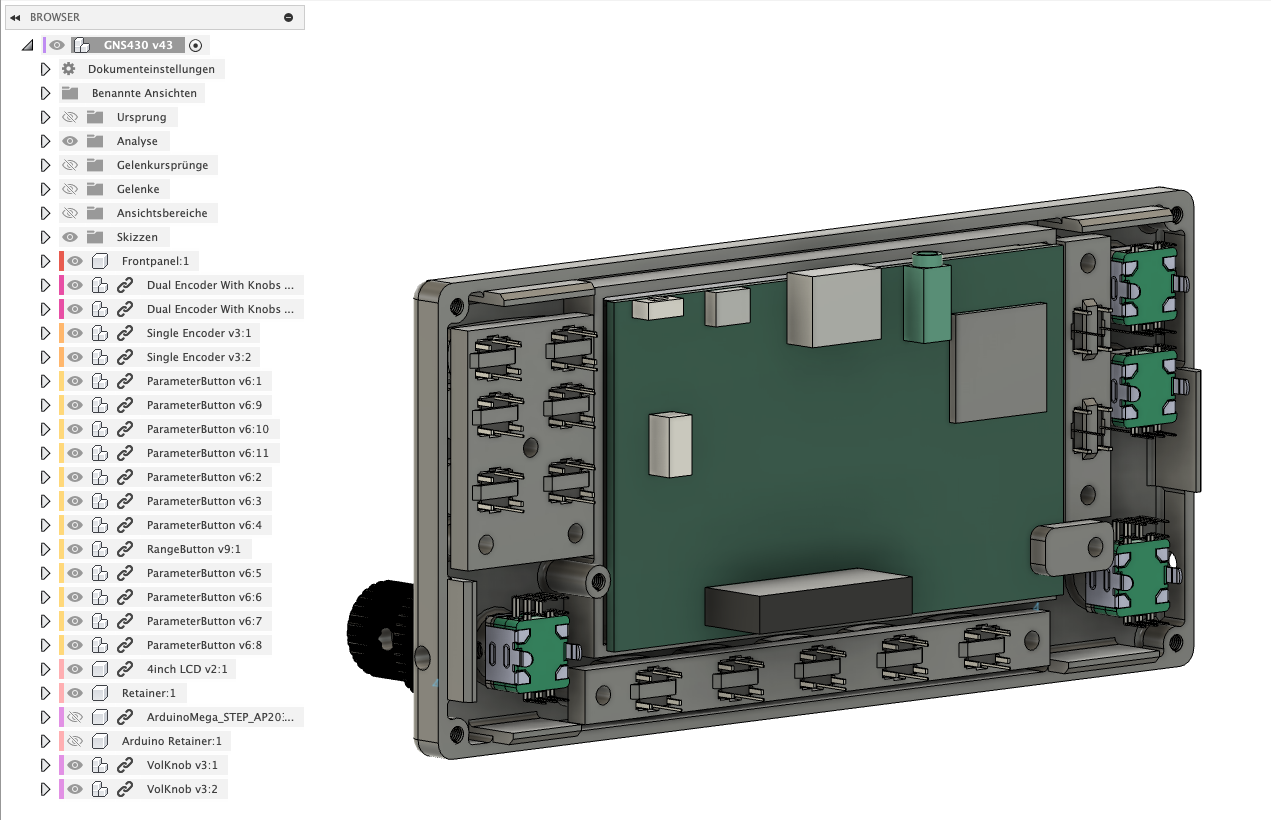
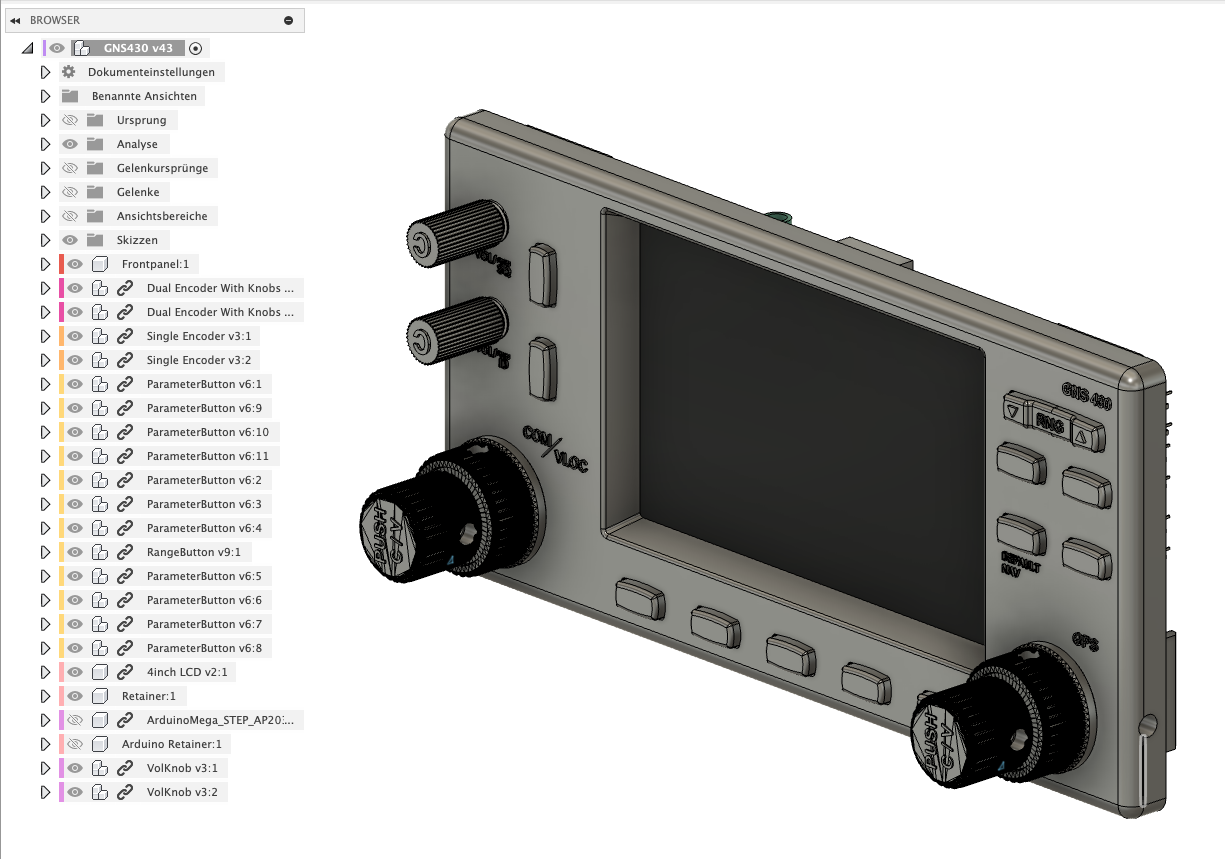
After a few failed test prints of the tiny push button covers with my > 10 years old LulzBot TAZ 6 it was clear, that a FDM printer wouldn't cut it (at least mine). So after more than 15 years of FDM printing, I decided that it would be time to give resin printers a try and bought a Elegoo Mars 3 Pro.
Using a resin printer after years and years of FDM printing is maybe a story for a different time, but I finally managed do successfully print first push buttons!
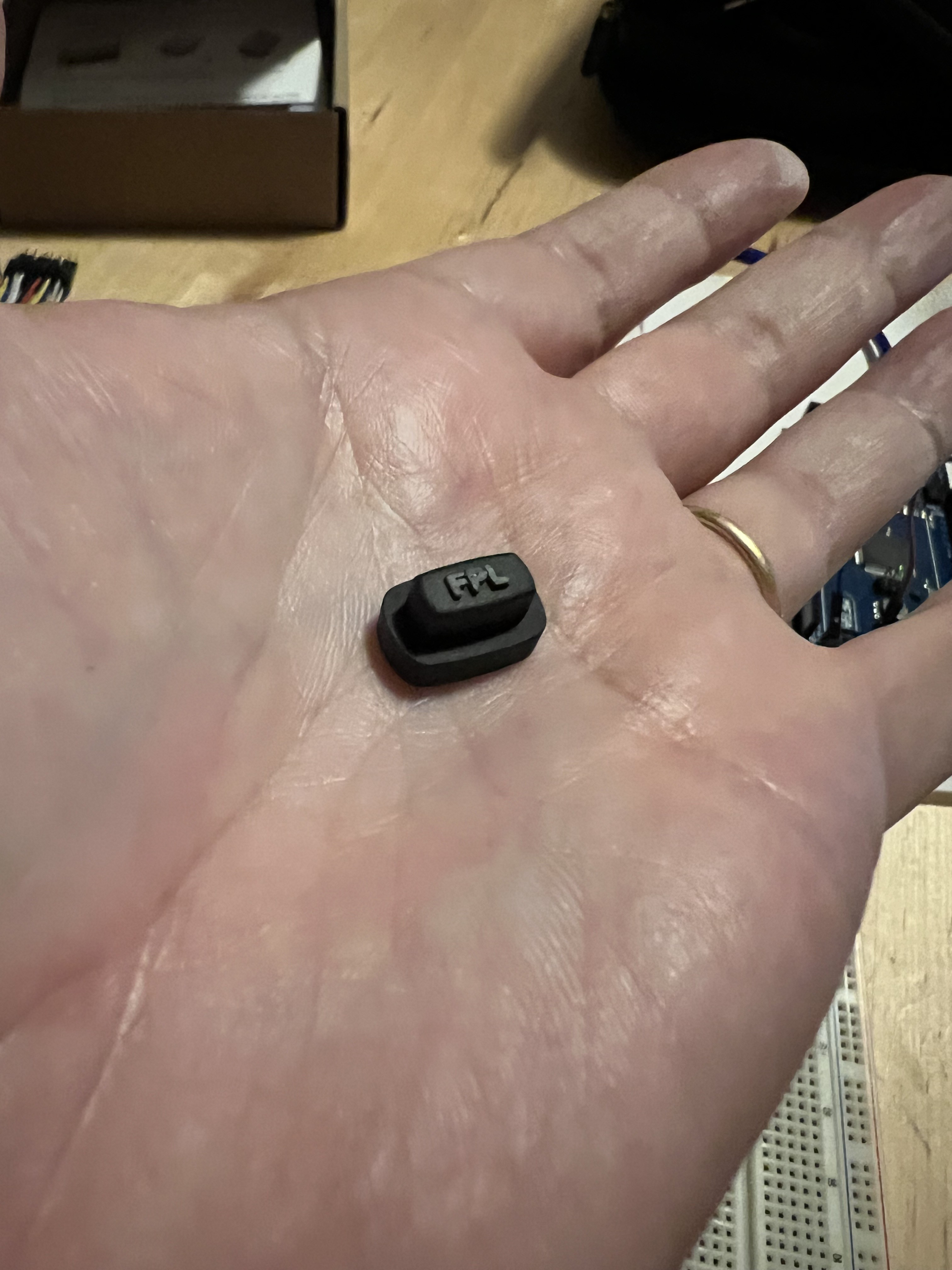
I printed these with clear resin and airbrushed them black afterwards. Finally I sanded off the black coating from the embossed text and voila: A backlit push button:
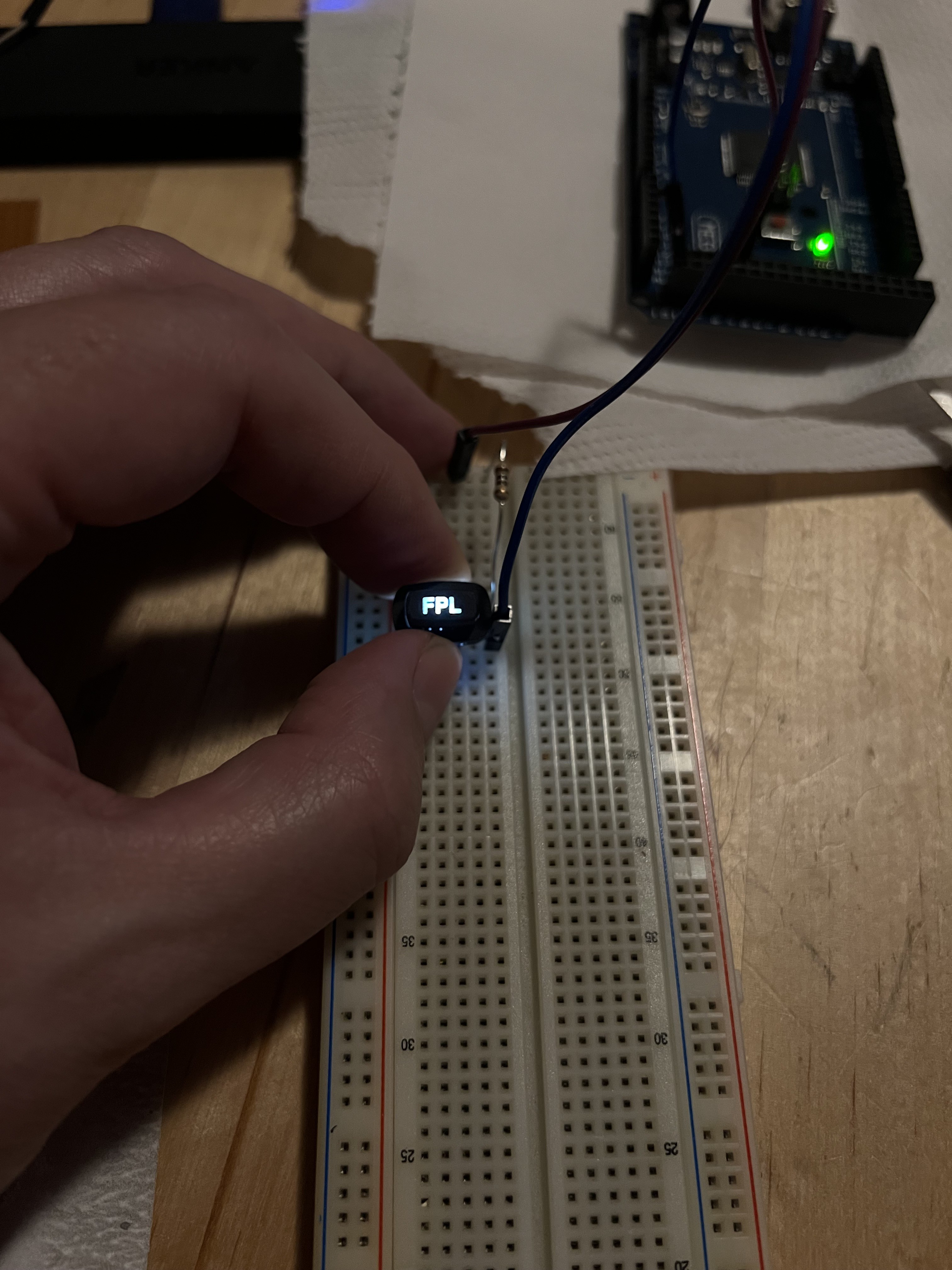
I ordered most of the hardware for cheap from Ali Express (rotary encoders and a bag of 100 pcs "6x6x7mm through hole reset micro push button tactile momentary switch with led (white)"), and a 4 inch IPS display with HDMI port from Amazon (not so cheap).
The white text on the frontpanel and the encoder knobs is also 3D printed, embossed text. But this time the part was printed with black resin and the embossed text later painted white (with a white paint pen).
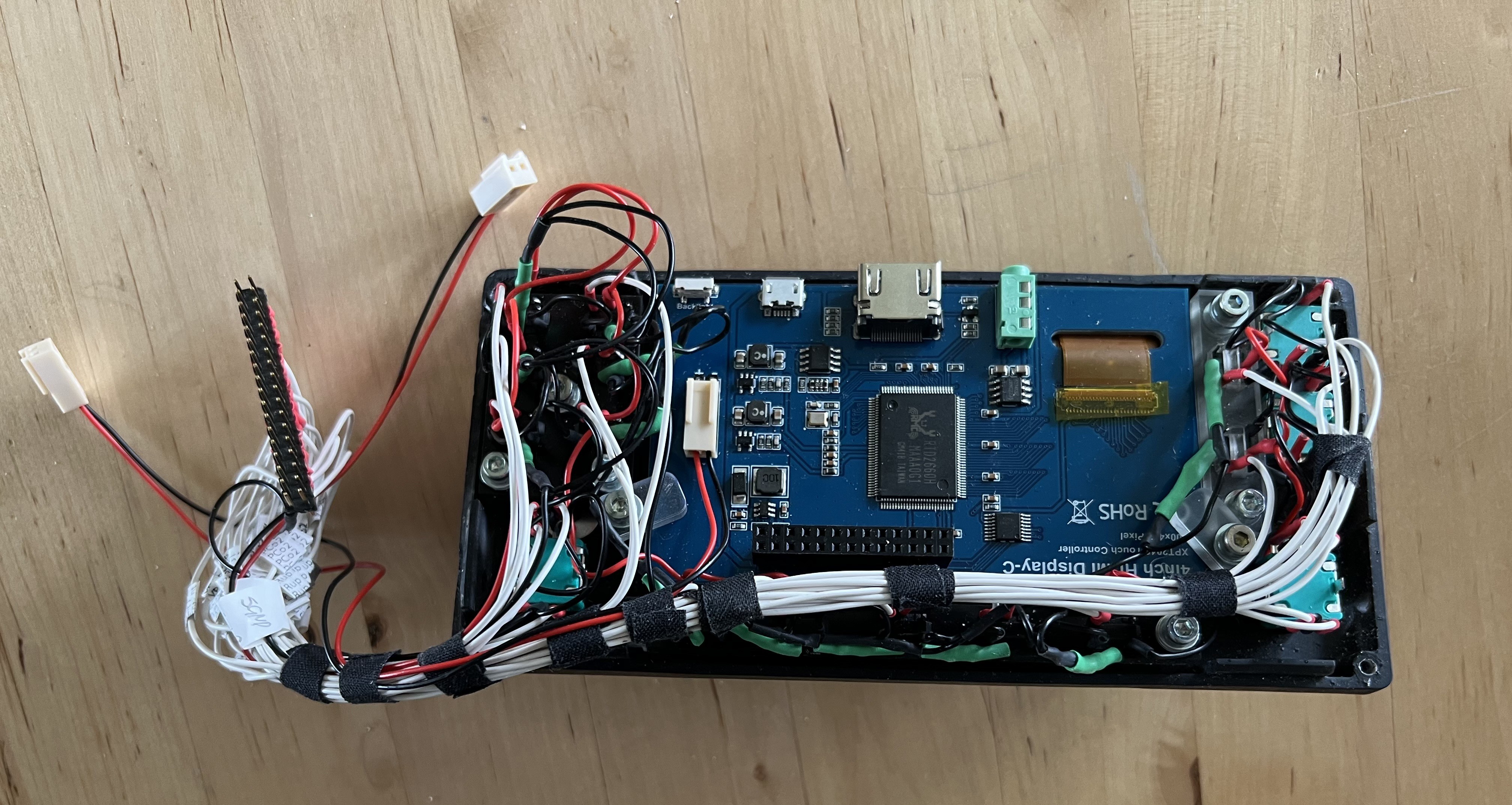
And here's the thing, all cabled up, after assembly:
On the software side, I wrote a LUA script for my GNS 430 in AirManager.
The LCD-Content is fetched from XPlane and send to the AirPlayer instance on the Raspberry Pi with this simple command:
video_stream_id = video_stream_add("xpl/GNS430_1", 0, 0, 800, 480)All the buttons and encoders are then mapped by a script, running on the Arduino Mega.
Update March 2026:
Since the original build (about two years ago), I ran into various issues with the AirPlayer setup on a separate Raspberry Pi. With almost every AirPlayer software update, the setup broke in one way or another, and eventually the video stream stopped working entirely.
After many hours of reconfiguring and trying to fix the issues with help from Air Manager support, I finally gave up and removed the Raspberry Pi with AirPlayer from the setup.
At the moment, I’m running the Arduino for the buttons directly via USB from the main computer, and the LCD screen is now connected via HDMI through a USB-to-HDMI adapter, also directly to the main machine. X-Plane sees it as an additional external monitor.
While the wireless setup over Wi-Fi with AirPlayer was quite nice, it became much less important once the project shifted from a “quickly set up and taken down desktop dashboard” to a more or less permanent full-size cockpit.
All Software can be found in my github repository for this project: https://github.com/zaggo/CockpitDrivers
If interested, you'll find the most recent lua scripts for AirManager here:
https://github.com/zaggo/CockpitDrivers/tree/main/etc/AirManagerCleartextLUA
The Fusion files for the GNS430 are available as .f3z files in this Repo: https://github.com/zaggo/PA28Cockpit


Comments
Post a Comment